
Silent Shield · two ways to use it
Silent Shield your way.
Silent Shield keeps its original discreet screen. If you want, enable Mimo to care for a pet and use its garden as the discreet screen. Both modes use the same configured emergency contacts and one-time location for WhatsApp help requests.
Explore the discreet screen
Yoga and meditation classes
Example screen · fictional classes
This demo uses fictional information. It does not request or transmit your location and does not send alerts.
Try the optional Mimo petInside the app
See how NFSAFE actually works.
Choose the original discreet screen or enable Mimo for a pet activity.
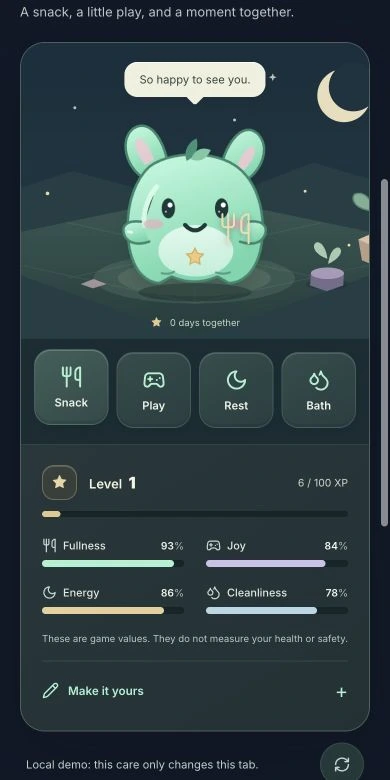
Mimo, your companion
Care for, feed, and play with Mimo. Try it without an account and enable it later if you want.
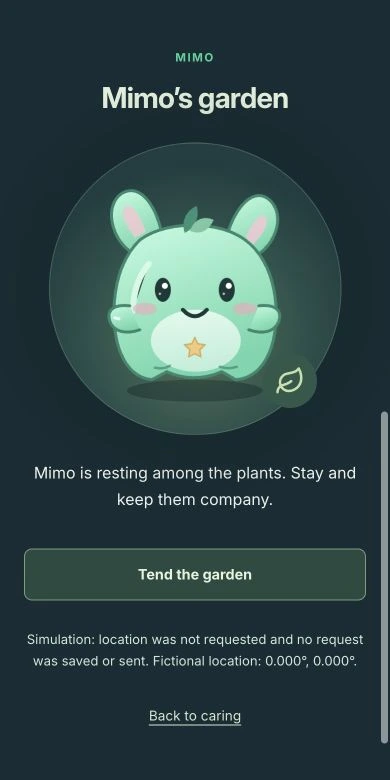
Mimo’s garden
Within Mimo, the discreet screen remains a pet activity.
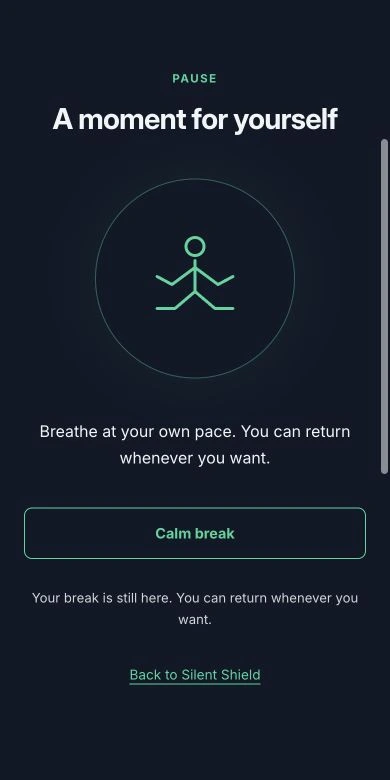
The original discreet screen
Without enabling Mimo, Silent Shield keeps its original screen. The pet is optional.
Real screenshots with fictional details. The example portrait was generated. Demos do not request location or send alerts.
Your everyday companion
Feed Mimo, play together, help it rest, and keep its corner tidy. Game happiness, energy, fullness, and cleanliness change as you care for it, earning experience and levels. Pick a name and a color. Progress is saved in your account, even with Silent Shield turned off. Care actions never create a help request or use your location.
Set it up before you need it
Sign in and add your name and your emergency contacts’ names and international phone numbers to your private profile. In Silent Shield, choose one to three of those same contacts and separately authorize location use. It does not use a separate address book or attach your health information to the event.
Allow location during setup
During setup, select “Prepare location” to request browser permission; the test position is discarded. If the browser retains permission, activations can reuse it without another prompt. If permission is missing, revoked, or cannot be checked, the gesture does not open a new request: it records that location is needed and directs you to review setup. The browser and operating system remain in control and may display location indicators.
Four taps or a one-second hold
The default gesture is four consecutive taps on the discreet button within two seconds. You can choose three taps in settings. You can also hold Mimo for one second. You need an active session, the feature enabled, the app open, and connectivity; this is not a physical button that works with a locked screen.
What appears on screen
Without Mimo, the original yoga and calm screen remains. With Mimo enabled, you see the garden and a pet activity. Choose the mode in your account; switching it does not change contacts or renew alert authorization. The appearance does not remove browser or operating-system notices and permissions.
What the request contains
With current permission, the app obtains one reading of latitude, longitude, and estimated accuracy, with the capture time. The event includes your name and selected emergency contacts and is stored encrypted on the server. Without usable permission, it records an event without coordinates that is not transmitted as a location alert. It does not continuously track you or obtain location with the app closed. Retrying an event uses its original position rather than updating your movements. If more than ten minutes have passed, activate the gesture again to obtain a current location.
The same profile contacts, through WhatsApp
The request is addressed only to one, two, or three emergency contacts you chose from your profile. Changes to your name or their details require authorizing setup again. Sending requires an operational WhatsApp channel and location permission. The notice uses a Spanish message template; changing the interface language does not translate it. If the channel is disconnected, the request remains queued and does not notify your contacts.
History, pause, and control
Private history distinguishes requests needing location, queued requests, failures, and channel-accepted requests according to their actual state. A record without coordinates or in the queue is not a sent notice. A channel’s technical acceptance does not prove someone received or read it, either. You can pause or revoke Silent Shield; gestures are disabled and pending sends are canceled. History stays private until you delete your account.
Add it to your home screen
Mimo can be installed as a web app in supported Android and iPhone browsers. On Android, use Install when available. On iPhone, open it in Safari and choose Share → Add to Home Screen → Open as Web App, if offered. Installing does not enable background monitoring or delivery.
Try a simulation first
Mimo’s interactive demo lets you feed it, play, change its appearance, and try the discreet screen without an account. Everything is simulated: no location requests, real contacts, or alerts. Your account saves your own pet’s progress when you choose to enable it.
NFSAFE / NFC + QR
Your important information, a tap away.
Personal package: NFC/QR metal card, 3 years and shipping included within Mexico or the US, with 15% off. Brazil and organizations: request a quote. Do not share health information in a sales inquiry.