From your account to your device
Simple access to the information you choose to share.
NFSAFE stores a private record and publishes a version with the fields you approve. The device opens that version through a link; it does not hold your entire record inside its chip.
Inside the app
See how NFSAFE actually works.
Explore the full profile, emergency view, and optional Mimo with real screens and an interactive demo.
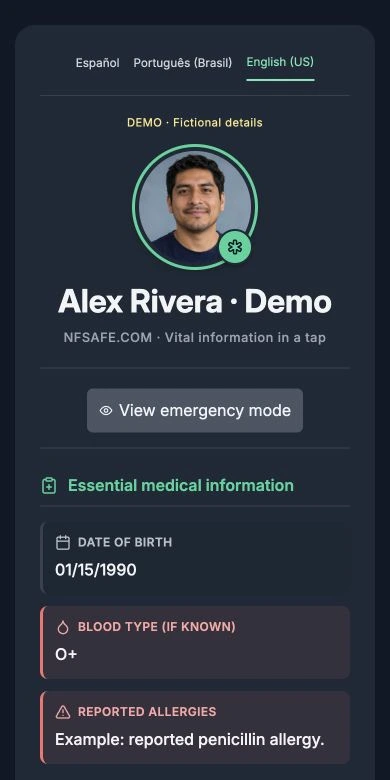
Your full profile
Example portrait, health information, and details the owner chose to publish.
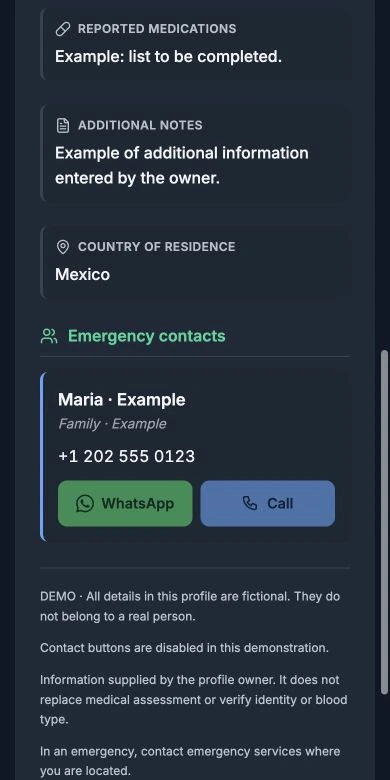
Information and contacts
More of the full profile and emergency contacts, keeping private fields out of view.
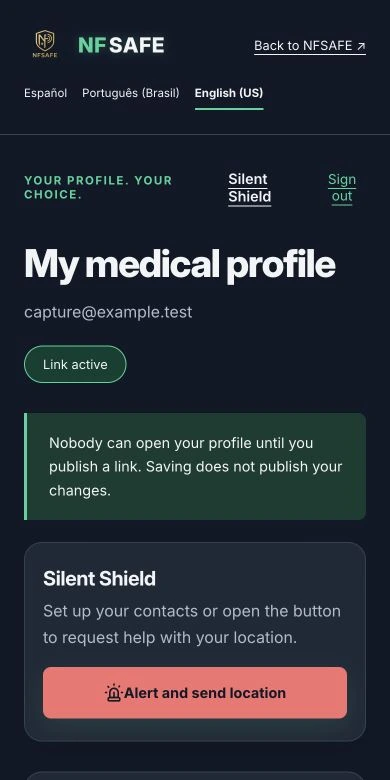
Your private record
Edit your profile and open Silent Shield alerts from your account.
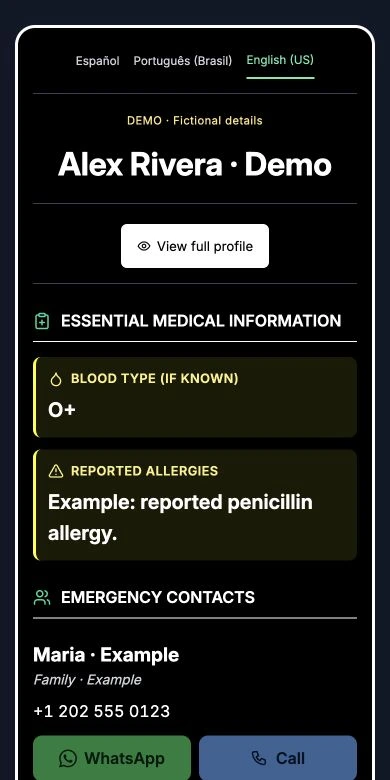
Emergency view
Essential information and authorized contacts, with WhatsApp and call actions.
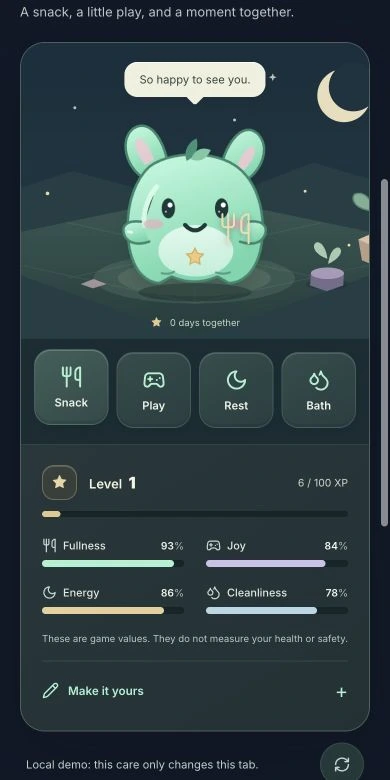
Mimo, your companion
Care for, feed, and play with Mimo. Try it without an account and enable it later if you want.
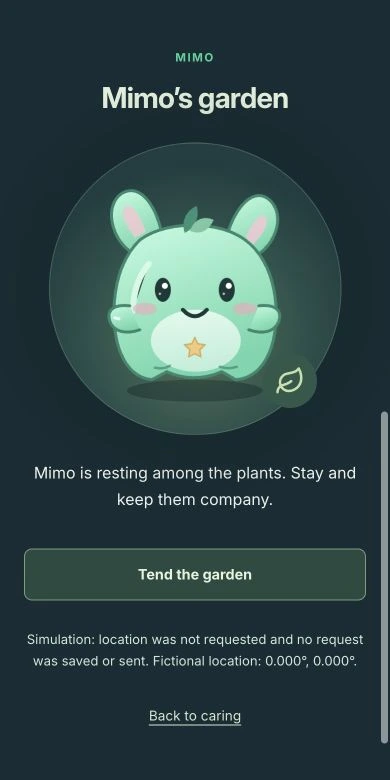
Mimo’s garden
Within Mimo, the discreet screen remains a pet activity.
Real screenshots with fictional details. The example portrait was generated. Demos do not request location or send alerts.
1. Prepare your private record
Create an account with your email and password. You can add your name, country, blood type, allergies, medications, other conditions, phone number, and up to three emergency contacts. Check every detail before sharing it.
2. Review and publish
Select the fields you want to show, review your choices, and confirm your consent. Fields you do not select are left out of that public version. Anything you type stays in its original language.
3. Open it with NFC or QR
A compatible phone can open the NFC link or read the QR code with its camera. Viewing a published profile does not require an NFSAFE account, but it does require internet access. NFC compatibility depends on the phone and its settings.
4. Update or remove access
Editing your private record does not automatically change an earlier publication. Review and republish it to update what others see. You can revoke publication or generate a new link; a new link also means updating access on your device.
Before you carry it
Test the link with another phone, check the visible details, and let your emergency contact know. Repeat the check when information changes. NFSAFE does not verify medical records. Opening a public profile does not send notices to your contacts.
Silent Shield is set up separately
For Mimo’s discreet access, open the feature from your account. Choose up to three emergency contacts from your profile, prepare browser location permission during setup, and choose a gesture. Scanning the public QR code does not activate it. Without an external channel, requests with location are only recorded as queued.
NFSAFE / NFC + QR
Your important information, a tap away.
Personal package: NFC/QR metal card, 3 years and shipping included within Mexico or the US, with 15% off. Brazil and organizations: request a quote. Do not share health information in a sales inquiry.